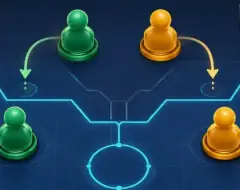






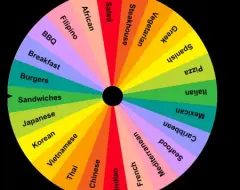
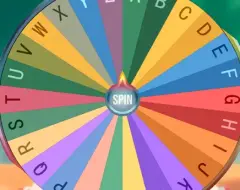



Random Team Generator divides a collection of participants into groups without requiring someone to select every team member manually. Users provide a list of names and determine how many groups should be created, or how many people should belong to each group when that setting is supported. The generator then distributes participants through a randomized selection process. It is useful for multiplayer games, physical activities, classroom assignments, collaborative projects, and competitions. The main purpose is organizing participants rather than completing a traditional game with levels and characters.
Preparing Names and Group Sizes
Before creating teams, users need to enter the names of everyone participating in the activity. Each person should normally appear only once unless repeated entries are intentional. After preparing the list, choose the number of teams required for the event. Some generators also allow users to specify preferred group sizes or provide names for each team. When the total number of participants cannot be divided evenly, the resulting groups may contain slightly different numbers of members. This should be considered when preparing activities that require equal team sizes.
Team Building and Available Options
Random allocation reduces the need for participants to choose teammates based on personal preferences. It also creates opportunities for people who do not normally work together to participate in the same group.
The generator can help organize:
· Teams for multiplayer video games.
· Groups for classroom exercises.
· Participants in sports competitions.
· Pairs for cooperative challenges.
· Teams for trivia and quiz events.
· Groups for collaborative projects.
· Partners during practice activities.
· Participants in friendly tournaments.
Some implementations offer additional options for assigning categories, distributing designated participants, or selecting representatives for each group. However, ordinary random allocation does not automatically create teams with equal abilities. A randomly generated team may contain several experienced players, while another consists mostly of beginners. Activities that require balanced skill levels may benefit from additional grouping rules before the random selection takes place.
How to Create Random Teams
Enter all participant names into the generator and check the list for duplicate or missing entries. Choose the required number of groups or preferred team size, then activate the generation control. Review the completed teams and make sure every participant has been assigned. If the activity permits another draw, generate a different arrangement to explore alternative group combinations. For competitions, participants should agree on the selection rules before the first generation. Random Team Generator can also be reused between rounds, allowing players to compete alongside different teammates throughout a longer gaming session.
