
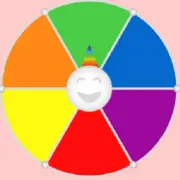


















Color Wheel Picker generates random colors from a predefined or customizable collection. Each section of the wheel represents a different shade, and spinning the wheel determines which one will be selected. The tool can be used for drawing challenges, character customization, decorating projects, and activities where a color becomes the central requirement. Unlike a conventional color selection interface, which allows users to choose a particular shade manually, this generator introduces an unpredictable element. Its functionality depends on the available colors and the settings selected before each spin.
Colors and Palette Customization
A basic color wheel may contain familiar colors such as red, orange, yellow, green, blue, purple, pink, black, and white. More advanced implementations allow users to add specific shades or create a custom palette. Some tools display numerical color information, including HEX or RGB values, which helps reproduce a selected color in graphics software. Users can prepare collections containing only warm colors, cool shades, pastel tones, or contrasting combinations. Changing the available palette influences the visual possibilities generated during an activity.
Creative Games and Color Challenges
The selected color can become the starting point for different creative objectives. An artist might need to produce an illustration using one random shade, while a gamer could customize a character’s outfit according to several generated colors.
The Color Wheel Picker can be used for:
· Selecting colors for drawing challenges.
· Creating random character designs.
· Choosing shades for virtual buildings.
· Preparing color-based educational activities.
· Assigning team colors during competitions.
· Generating ideas for decorative projects.
· Creating unexpected color palettes.
· Organizing games involving color recognition.
Several consecutive spins can produce a collection of shades for a more complicated challenge. Participants might use the first color for a character’s clothing, the second for accessories, and the third for the background. Randomly generated combinations are not necessarily harmonious, so users can decide whether to accept every selection or introduce rules that limit unsuitable results.
How to Generate Random Colors
Prepare the desired color collection or use the default wheel if no specific palette is required. Activate the spinning control and wait for the selected shade to appear. If more colors are needed, continue spinning until the required number has been collected. Record any available color codes when exact reproduction is important. For competitive drawing activities, participants can agree on whether every generated color must appear in the final illustration. Color Wheel Picker has no fixed levels or scoring system, but its random results can provide the rules for individual creative exercises or longer group challenges.
