
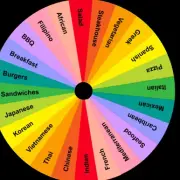
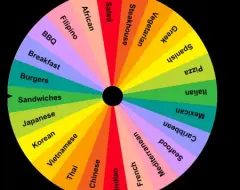






















Picker Wheel helps users make selections through an interactive spinning wheel containing customizable entries. Unlike generators designed exclusively for numbers, letters, or countries, this tool allows users to determine exactly what appears on the wheel. Names, questions, activities, objects, and other choices can be added according to the purpose of the selection. The wheel rotates before announcing a result, making the selection visible to everyone participating in an activity. There are no predefined missions or levels, as users create their own selection scenarios.
Customizing the Wheel
The input section allows users to add, edit, and remove entries. Text and images can be used to represent different choices, while individual labels help identify selected results. Appearance settings include wheel colors, background colors, and sound effects. Users can prepare a wheel containing several options or create a larger collection for repeated selections. Weight settings can also influence the probability of individual results when different choices should not have equal chances of appearing.
Selection Modes and Applications
Picker Wheel supports different ways of handling results. In ordinary selection, every entry remains available for the following spin. Elimination allows selected entries to be excluded from subsequent rounds, while accumulation records how many times each choice has appeared.
The main features and applications include:
· Adding custom names, activities, and questions.
· Using images to represent individual choices.
· Selecting random participants during group activities.
· Removing previously selected entries.
· Recording and reviewing accumulated results.
· Adjusting the appearance of the wheel.
· Creating personalized challenges for games.
· Organizing the order of presentations or tasks.
The available modes make the tool suitable for activities with different requirements. A classroom exercise may require every student to receive one turn, making elimination useful. A game based on repeated random choices can keep all entries active. Accumulated results can also be examined after several spins to compare how frequently different outcomes appeared during the session.
How to Use Picker Wheel
Begin by entering the options into the input area. Check the list, adjust the available settings, and click the spinning button. After the result appears, decide whether to keep the selected entry, exclude it, or record another occurrence. Continue spinning until the requirements of the activity have been fulfilled. When organizing a game with friends, assign a task or rule to every wheel section before beginning. Participants can then take turns activating the wheel and completing whichever challenge is selected.
